Document Type

Artwork Passport

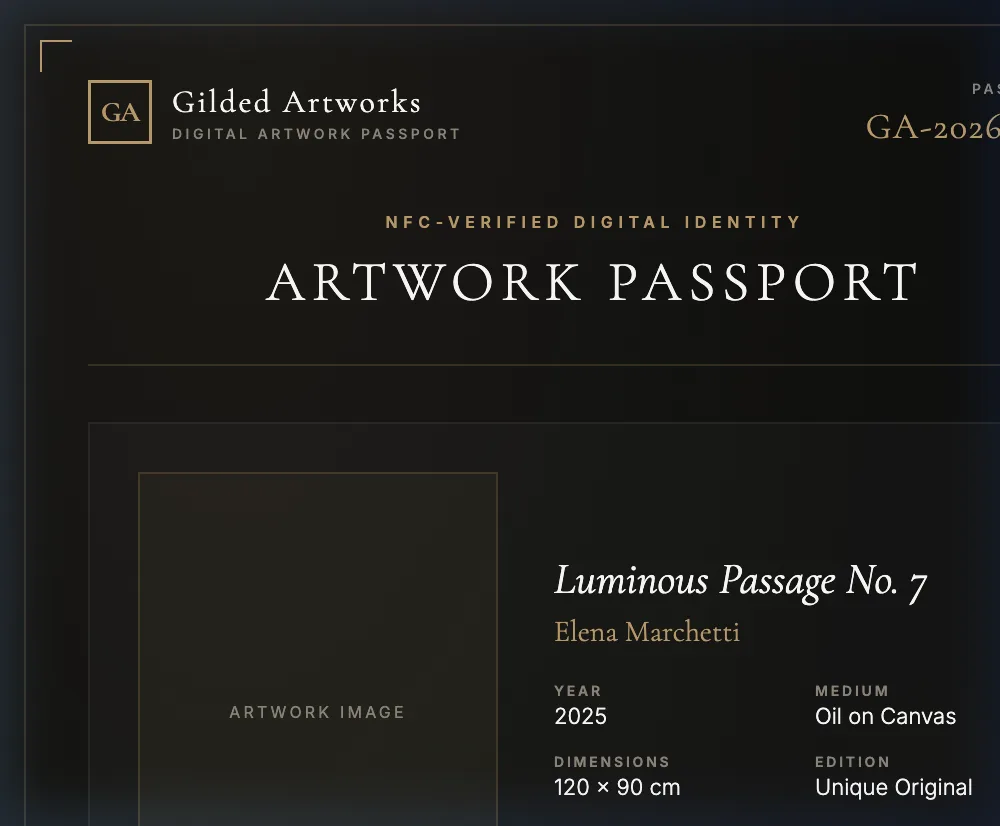
Documents about an artwork are only useful to whoever is holding the folder. The Artwork Passport moves the identity onto the object: a printed record carrying the registry number, the image, the artist, year, medium and dimensions, paired with a public verification page at /verify that an NFC tag affixed to the work resolves to. Someone standing in front of the work taps it with a phone and reads the record, without an app and without asking you.

Best for: Galleries offering works a buyer can check independently, artists building a long-lived record, and collectors who want to verify before they wire.

Artwork Passport — generated example
Generated by the platform from a sample gallery and sample artworks. Where the document leaves a ruled blank for a value only a person can supply — an underwriter, a conservator’s findings, a buyer’s signature — the example shows the blank.

What’s in the document

  • Printed passport card per work: registry number, status band, image and full description
  • Public verification page at /verify/<registry id>, readable by anyone with the link
  • NFC tag support using NTAG 424 DNA chips, which sign every tap
  • Tap signature recomputed server-side before the page reports a verified read
  • A mismatched signature reports as not verifiable, not as counterfeit — no provisioned tag has been tested yet
  • Registry ID, gallery or owner, medium and recorded provenance shown on the verification page
  • Documents issued against the work listed on the verification page
  • Owner identity, pricing and private notes stay behind the owner’s login

The problem with documentation that lives in a folder

A certificate proves something about a work to whoever is holding the certificate. That is the whole difficulty. Paper separates from objects — it stays with the seller, goes into a drawer, is lost in a move, or turns up attached to a different work entirely. And a PDF emailed to a buyer can be forwarded, edited and re-sent by anyone who receives it, which means the buyer’s confidence rests on the honesty of whoever sent the file.

A passport inverts that. The record lives at a stable address the gallery controls, the object carries a pointer to it, and anyone standing in front of the work can read the record without going through the person trying to sell it. The person who benefits most is a buyer at a fair with ten minutes and no relationship with the dealer.

How verification actually works

There are two ways to arrive at the verification page, and they carry different weight. Being clear about the difference is the point of the feature.

A manual visit
Typing or following a link to /verify with a registry ID shows the record: registry ID, gallery or owner, medium, recorded provenance rows, and the documents issued against the work. It confirms what is registered. It does not confirm that the object in front of you is that work.
An NFC tap
The tags supported are NTAG 424 DNA chips, which generate a fresh cryptographic signature on every tap and append it to the URL. The server recomputes that signature against the key held for the tag and reports the read as verified only if it matches. A mismatch currently reports as not verifiable rather than as a failure — see the limit stated below, which is the honest position until a provisioned tag has been tested.
Why the difference matters
A URL can be copied; a signed tap cannot be replayed from a photograph of the tag, because the signature changes each time and is checked against a key that never leaves the server. That is what makes a tap evidence about the physical object rather than about a link.
What stays private
The verification view is public by design — that is what makes it useful to a stranger. Owner identity, pricing and private notes are not part of it and stay behind the owner’s login. The tag’s key material is read server-side and never reaches the browser.

Where to put the tag, and what it does not prove

Tags go where they can be reached without touching the work’s face: the frame verso, the stretcher, the base of a sculpture, the reverse of a mount. Fix them so that removal is evident — a tag that can be lifted cleanly and moved to another object is a tag that proves nothing. Record which tag is on which work when you fit it; a correctly signing tag registered against the wrong record is worse than no tag.

And be honest with buyers about the limit. The tag proves that this tag is genuine and points to this record. It does not, by itself, prove that the object it is attached to is the object in the record — that comes from the visual cross-check the passport enables, since the verification page shows the work’s image and details for exactly that comparison. Anyone selling NFC as tamper-proof authentication is overstating it; the tag plus the record plus the eye is what does the work.

The state of the signature check, stated plainly

A matching signature reports a verified read. A signature that does not match currently reports as not verifiable — the same state as a manual visit with no tap — rather than as a failed or counterfeit tag. That is deliberate, and it is the one thing to understand before you promise a collector anything about it.

No physical tag has been provisioned against this platform yet, so the verification code has never run against real hardware, and the full NTAG 424 secure-messaging scheme involves key handling this implementation does not model. Telling a collector that an authentic work’s tag is forged is a serious and irreversible thing to get wrong, so the check is set to withhold that verdict until a real provisioned tag has been shown to verify. Enforcement is a single configuration flag, off in every environment today, and it will be turned on once there is hardware to justify it — not before.

What it does not do

The printed passport carries no QR code — the platform does not generate one, so if you want a scannable code on a label, produce it from the verification URL yourself. The passport is a snapshot at the moment it is generated; regenerate it when the record changes. It is not a blockchain record and makes no claim to be one. It does not authenticate the artwork, verify provenance entries or check anything against an external register. It does not currently declare a mismatched tap counterfeit, for the reason set out above. And a public verification page is only as good as the record behind it: what it shows is what your gallery entered.

Questions, answered

How does NFC verification work?

An NTAG 424 DNA tag affixed to the work generates a fresh cryptographic signature on every tap and appends it to the verification URL. The server recomputes that signature against the key held for the tag and reports a verified read only on a match. A mismatch currently reports as not verifiable rather than as counterfeit: no provisioned tag has been tested against this code yet, and accusing an authentic work of carrying a cloned tag is not a mistake worth risking. No app is required — the phone opens the page directly.

What stops someone copying the tag?

A copied URL is not a copied tag. The signature changes on every tap and is checked against a key that never leaves the server, so it cannot be replayed from a photograph. Fit tags so removal is evident, and remember that the tag proves the tag — the visual cross-check against the images and details on the verification page is what ties it to the object.

Is the passport public?

The verification view is public by design, because a record only a stranger cannot read is not verification. Owner identity, pricing and private notes stay behind the owner’s login, and the tag’s key material is read server-side and never reaches the browser.

Does the passport include a QR code?

No. The platform does not generate one. If you want a scannable code on a label or a wall text, produce it from the verification URL with a tool of your choice — the URL is stable.

Does the printed passport update itself?

No. The printed card is a snapshot at the moment of generation; the verification page is the live surface. When the record changes, regenerate the passport — the document number and date tell you which snapshot you are holding.

Also in the library

Your first artwork passport is free.

One artwork entry, any of the 15 document types. Three a month on the free plan, no card required.

Create Your First Document — Free