Document Type

Editorial Catalog

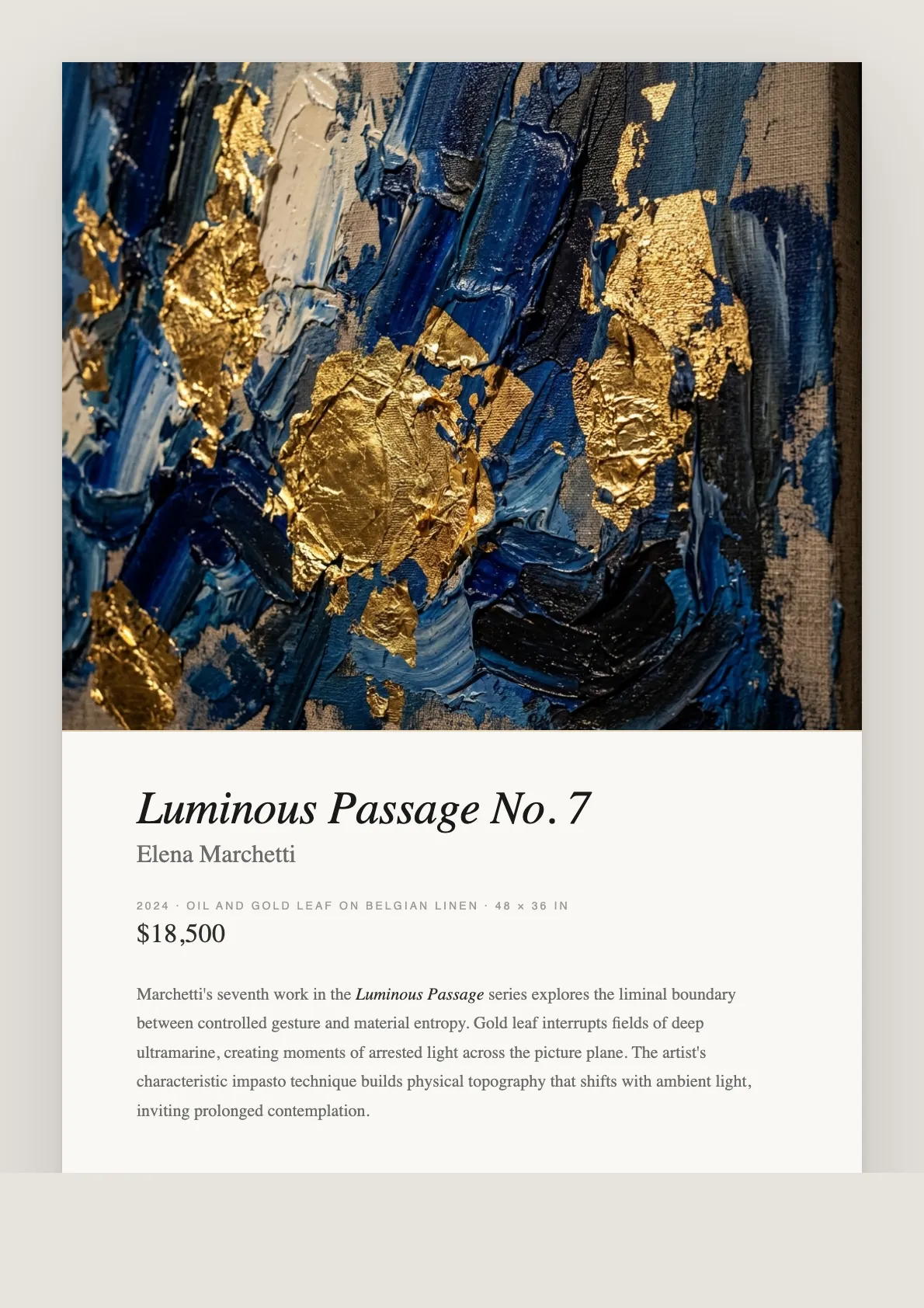
The catalog is the thing a collector still has on their desk a week after the viewing. Gilded Art Works sets one from your artwork records: a masthead carrying your gallery logo, the artist or exhibition name and the date, then each work as an entry with its image, title, artist, year, medium, dimensions and price, ruled in editorial type, closing on your gallery address and contact.

Best for: Exhibition leave-behinds, art fair handouts, collector previews and artist portfolio packets — anywhere the work has to hold its own on paper.

Editorial Catalog — generated example
Generated by the platform from a sample gallery and sample artworks. Where the document leaves a ruled blank for a value only a person can supply — an underwriter, a conservator’s findings, a buyer’s signature — the example shows the blank.

What’s in the document

  • Masthead with gallery logo, artist or exhibition name, gallery name and date
  • One ruled entry per work: image, title, artist, year, medium, dimensions
  • Price set in editorial type at the right of each entry, omitted where no price is entered
  • Consistent grid and typography across any number of works
  • Gallery address and contact block closing the document
  • Eight designs — Editorial sets it as a magazine page, Couture as a private-sale card
  • A4, US Letter, A3 or A5

What a catalog is for

A catalog does one commercial job: it keeps a work in front of a buyer after the buyer has left the room. That is a different job from a website, which the buyer has to choose to revisit, and a different job from a price list, which answers a question the buyer has already asked. The catalog is what gets handed over, put in a bag, and found again on a desk.

It is also the document a gallery is judged by fastest. A collector who cannot tell whether your gallery is serious will decide from the typography before they read a word, which is why galleries either commission this work or reuse a template that was never designed for images of art.

How the page is built

The catalog is generated from the same artwork records as every other document here, so the medium and dimensions on the catalog are the medium and dimensions on the certificate.

The masthead
Your logo, the label Editorial Catalog, then the artist name from your gallery profile — or "Selected Works" where none is set — over the gallery name and the date of generation. It occupies the top of the first page rather than a separate cover leaf.
One entry per work
Each work sets as a ruled row: a 120 × 90 image at the left, then title, artist and year, then medium and dimensions on a second line, with the price aligned right. Works without an image set full width; works without a price simply omit the figure rather than printing a placeholder.
The closing block
Gallery name and address at the left, contact email at the right, under a gold rule. This is the part collectors photograph, so it prints on every catalog whether or not you remember to ask for it.
Design and format
Eight designs change the typographic voice without changing the structure. Editorial sets the page as a magazine spread; Couture uses hairline rules and wide capitals for private sales; Nordic is the quietest. Any of them prints at A4, US Letter, A3 or A5 — choose A5 for a booklet-scale handout, A3 for a fair wall.

The version-control problem this solves

The expensive failure in gallery catalogs is not design, it is drift. A price changes, a work sells, a dimension was mistyped — and the corrected figure lives in one place while three PDFs of the catalog circulate with the old one. When a collector quotes you a price from a catalog you sent two months ago, the argument that follows is about your record-keeping, not about the art.

Generating from the artwork record means the catalog is disposable. Correct the record, regenerate, and the old file is superseded rather than patched. The practical discipline that follows is worth adopting: never edit a generated catalog by hand, because the edit lives nowhere and the next regeneration silently loses it.

What it does not do

It does not write the copy. There is no essay, no curatorial text and no artist statement in the catalog — those are separate documents, and the artist statement type here is the one that carries them. It does not lay out full-bleed image spreads or a per-work page; each work is an entry in a list, not a plate. It does not manage a price-on-request variant automatically — leave the price field empty on the records you want unpriced and generate a second catalog. And it does not send: distribution, print and mailing are yours.

Questions, answered

How many artworks can one catalog include?

There is no limit. Every selected work becomes an entry, and the grid, typography and page furniture stay identical whether the catalog holds three works or thirty. Long catalogs simply run to more pages.

Can I hide pricing for certain audiences?

The price prints only where the artwork record carries one. To produce a price-on-request catalog, generate from records with the price field empty; to produce a priced version, fill it. Both come from the same layout, so the two documents match in every other respect.

Does each artwork get its own page?

No. Each work is a ruled entry with a 120 × 90 image, set in a continuous list. If you need a full-page plate per work, this is not the document that produces it.

What size does the catalog print at?

A4 by default, with US Letter, A3 and A5 selectable. A5 is the conventional gallery booklet scale; A3 suits a fair or a wall-mounted checklist.

Also in the library

Your first editorial catalog is free.

One artwork entry, any of the 15 document types. Three a month on the free plan, no card required.

Create Your First Document — Free